
At a Glance
I focused almost exclusively on my coding this week. I checked in on a few blogs and read some articles about game dev, however most of the week I spent heads down, going clickity-clackity on my keyboard. I wanted to complete my basic grid-based movement code this week; which meant tackling collider and up/down (y-axis) issues I had. My breakthrough came about midnight-thirty Saturday morning, and bam my character moved up and down the stairs while colliding with walls. Such a great feeling.
Read on to discover my moving story.
A Little Help From My Friends
Mike@PAUSED had some great posts this week, focused on GDC. While I banged my head against the wall and sometimes right through it (you know because the colliers don’t work), he went through and picked out some good content and wrote about it. He highlighted numerous videos on Day 42: GDC 2019 post, and I added them to my growing list of content to watch.
Earlier in the week I found an asset on the store I want to try out, Trello Bug Tracker Pro. It doesn’t look like Diegod Games keeps it updated so I’ll contact them through Unity to discover the status. I use Trello for all my personal and game dev projects, so if I can find a way to get feedback and bug reports directly into Trello, that would be awesome. I only had a vague notion of what to do with it, that is until Mike@PAUSED posted about Telemetry & Feedback and now Subnautica collected metrics from the earliest stages of development so they could continually improve their game. I am still a ways off from that point but I like to work towards a good goal so I can keep moving forward.
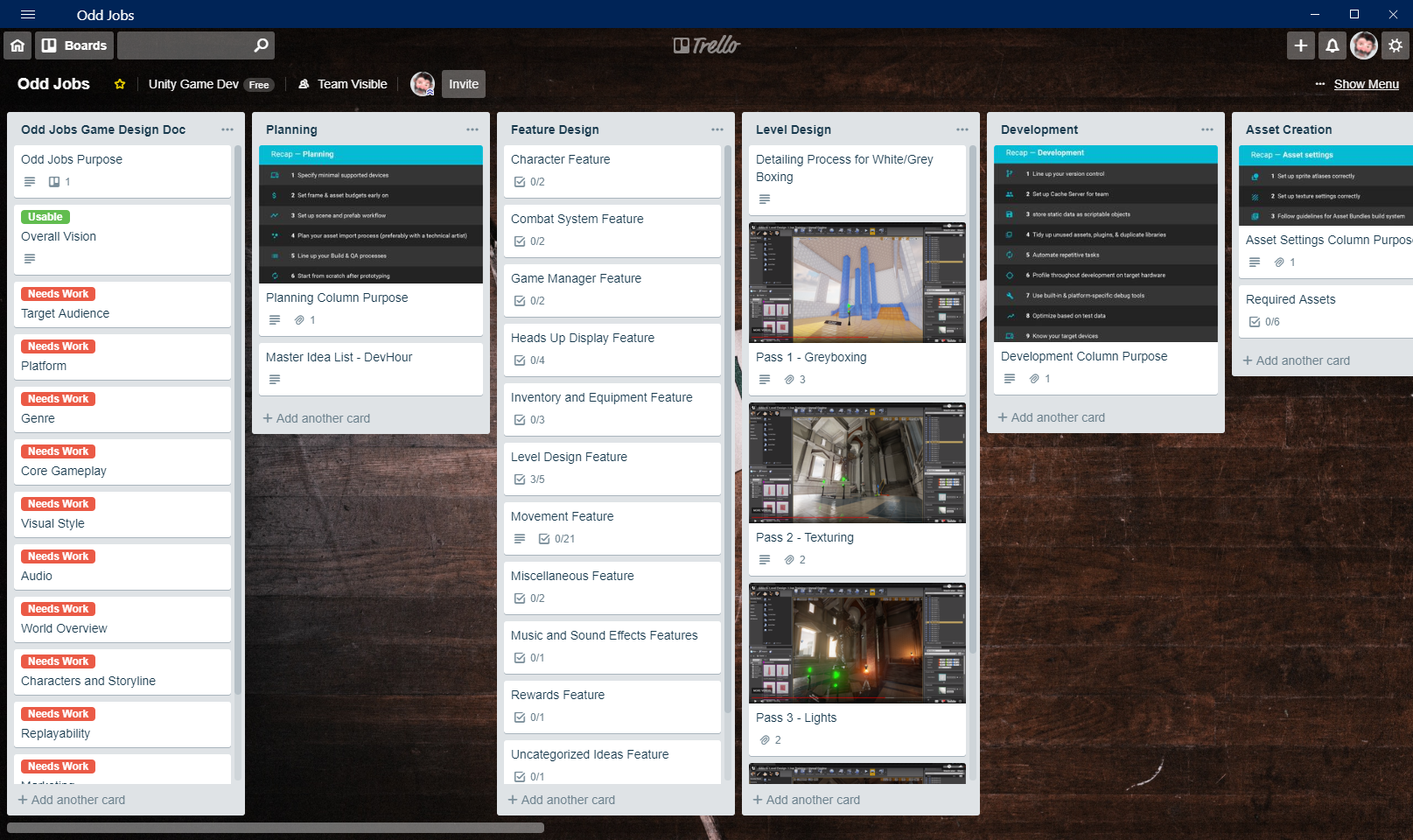
Trello – Odd Jobs Board 
Mike@PAUSED – GDC 2019
Moving Around, And Now Without Trigonometry
When I started this week I had no clear idea of where I wanted to go, more specifically how I wanted my character to move. I had some vague notions about the movement I wanted to see but I had not truly defined the details. I sat down one day and wrote out a plan to work from. I embedded the Trello card below that describes the my goals and process. Let me know if you see it and can interact with it., the board isn’t public so I’m not sure how well it will work. (Edit 9 Apr 2019 – the embedded Trello card didn’t show up properly so I replaced it with my bulleted list of requirements.)
Character Assumptions
- is 2m tall, 0.5m wide (radius) (configurable via CapsuleCollider)
- uses CapsuleCollider
- uses Rigidbody
- use gravity=true
- is kinematic=false
- interpolate=none
- collision detection=discrete
- freeze rotation for x, y, z = true
- mass=200
- drag=15
- angular drag = 0.05
Movement Requirements
- move horizontal (x-axis)
- move depth (z-axis)
- move height (y-axis)
- only move orthogonal (no diagonal)
- walk at preset speed (configurable)
- run at 2x walk (configurable)
- crouch at 0.5x walk (configurable)
- rotate at 90 degrees at a time
- cannot move while rotating
- cannot rotate while moving
- walking, crouch walking, and running process at different speeds
- bouncing off colliders takes time (configurable)
This meant I had two major areas of work, colliders and y-axis movement. For colliders I decided to create a “Blockers” tag and assign it to the walls. Then I added a bit of code to check for that tag in the OnCollisionEnter method.
    void OnCollisionEnter(Collision collisionInfo)
    {
        print($"Collision with: {collisionInfo.gameObject.name}");
        switch (collisionInfo.gameObject.tag.ToLower())
        {
            case string a when a.Contains("blocker"):
                isBouncing = true;
                bouncePosition = CurrentPosition;
                break;
            case string a when a.Contains("height adjusting"):
                break;
            case null:
                new System.ArgumentNullException(nameof(collisionInfo));
                break;
            default:
                break;
        }
    }
This mostly solved my collision issues, although I can still peek through walls when I run at them I no longer passed through them. This even gave me a head start on the y-axis movement as I climbed stairs with a bounce to my step, and moved forward and then fell down, just like the Coyote.
I decided I wanted multi-level scenes, like a three-story house, stairs leading to a walled off section of town, or any number of other scenarios, which meant I needed working y-axis movement. At first, I thought I needed to break out my trigonometry. Every set of stairs is a right triangle in disguise and I always knew the length of two sides and an angle, which meant I could easily compute everything else about the triangle. I assumed that if I moved one step forward I could compute the position on the triangle the character needed to stop at and then include that in the lerp code.
I played around with Rigidbody.MovePosition which, according to Unity, would give me smooth movement with the correct interpolation setting. However, in my experiments I got much better results by controlling my movement and use lerp. The code worked better, however, I still experienced jitter moving up the stairs and in various testing scenarios I would move then fall or not fall at all when trying to go down the stairs.
During my research I discovered raycasting (and boxcasts, and spherecasts, and capsulecasts, etc.). Maybe I could raycast underneath the character to compute the distance to the floor. Then I could use that to adjust the y-axis of the position the character moved towards. This eliminated my triangle trig problem and made Unity do the lerp work for me. Sure enough it worked. I included a snippet of code and some gifs of my character moving around bumping into walls (peeking through them) and climbing up and down the stairs.
private void PerformMovement(float speedModifier)
{
	if (isWalking)
	{
		isMoving = true;
		// TODO: DuringMove event should fire (this would call it every frame)
		float walkComplete = ActionCompleteFraction(walkingDuration * (1 / speedModifier));
		// TODO: check for floor under character and drop down if none
		RaycastHit hit;
		if (Physics.Raycast(CurrentPosition, transform.TransformDirection(Vector3.down), out hit))
		{
			// adjust the y position to match the point hit offset by the height of the character
			// CHECK: HalfHeight should account for player height
			nextPosition.y = hit.point.y + HalfHeight;
		}
		transform.position = Vector3.Lerp(CurrentPosition, nextPosition, walkComplete);

		if (walkComplete >= 1.0f)
		{
			isWalking = isMoving = false;
			// TODO: AfterMove event should fire
		}
	}
}
I have lots of work left on the movement, but I considered this my basic set of movement. This is enough to move forward with my gamedev. 🙂
I plan to spend some time this week creating a GitHub repo with a small ProBuilder demo scene and upload my code. I’m curious to see how people will use it and improve it. Once I created the public repo I’ll blog and tweet about it.
Keep on Questing!
Once I wrapped my head around the movement task and created a detailed set of requirements everything fell into place. I felt better about my ability to make this work. This week taught me to take a step back and spend some real time working on my Game Design Doc, and flesh out a few more coding tasks like I did with movement. I don’t need a detailed task list for everything but I should have my Overall Vision written down and then at least the next three to six steps detailed enough to make it work.
Come back next week to discover where my quest takes me next.


 WeirdBeard's Blog
Leave a reply to WeirdBeardDev Cancel reply